Lightning Fast
AI vectorization processes images in seconds, so you can get SVG conversion results quickly without a long wait.
AI-powered online vector converter
AI-driven image tracing technology automatically analyzes image details, generates clean and accurate vector paths, and makes the results suitable for websites, print, and professional design projects.
JPG, PNG, WebP · Up to 25 MB · Drag and drop supported
View and download the full result with no watermark
Product Features
JPGtoSVG can quickly convert PNG, JPG, and WEBP images into high-quality, scalable SVG files.
AI vectorization processes images in seconds, so you can get SVG conversion results quickly without a long wait.
Scale images freely for anything from small icons to large-format printing while keeping every detail crisp and sharp.
Adjust and refine converted images, change colors, improve details, and export your work in multiple popular image formats.
AI analyzes edges, shapes, and fine details to automatically generate smoother, more accurate SVG vector paths.
Upload and process up to 50 images at once—ideal for converting batches of logos, icons, illustrations, or product assets.
Export to SVG, PNG, JPG, or WEBP for convenient use across websites, design projects, printing, and sharing.
Why convert
Compare the strengths of pixel-based PNG images with scalable SVG graphics to choose the right format for editing, resizing, web design, and print.
PNG is a raster format made of pixels, which makes it useful for screenshots, transparent images, and detailed artwork. When an image needs to be enlarged, edited repeatedly, or reused at different sizes, however, a PNG can become pixelated or blurry.
SVG is a vector format that stays sharp at any scale, making it especially useful for logos, icons, interface assets, and graphics that must remain clear at every size.
| Feature | PNG | SVG |
|---|---|---|
| Type | Raster image | Vector image |
| Scaling | Loses clarity when enlarged | Stays sharp at any size |
| Editing | Edited as a raster image | Paths and shapes are editable |
| Best for | Photos, screenshots, and detailed images | Logos, icons, and illustrations |
| Transparency | Supported | Supported |
| Web use | Common web image format | Ideal for responsive graphics |
Conversion guide
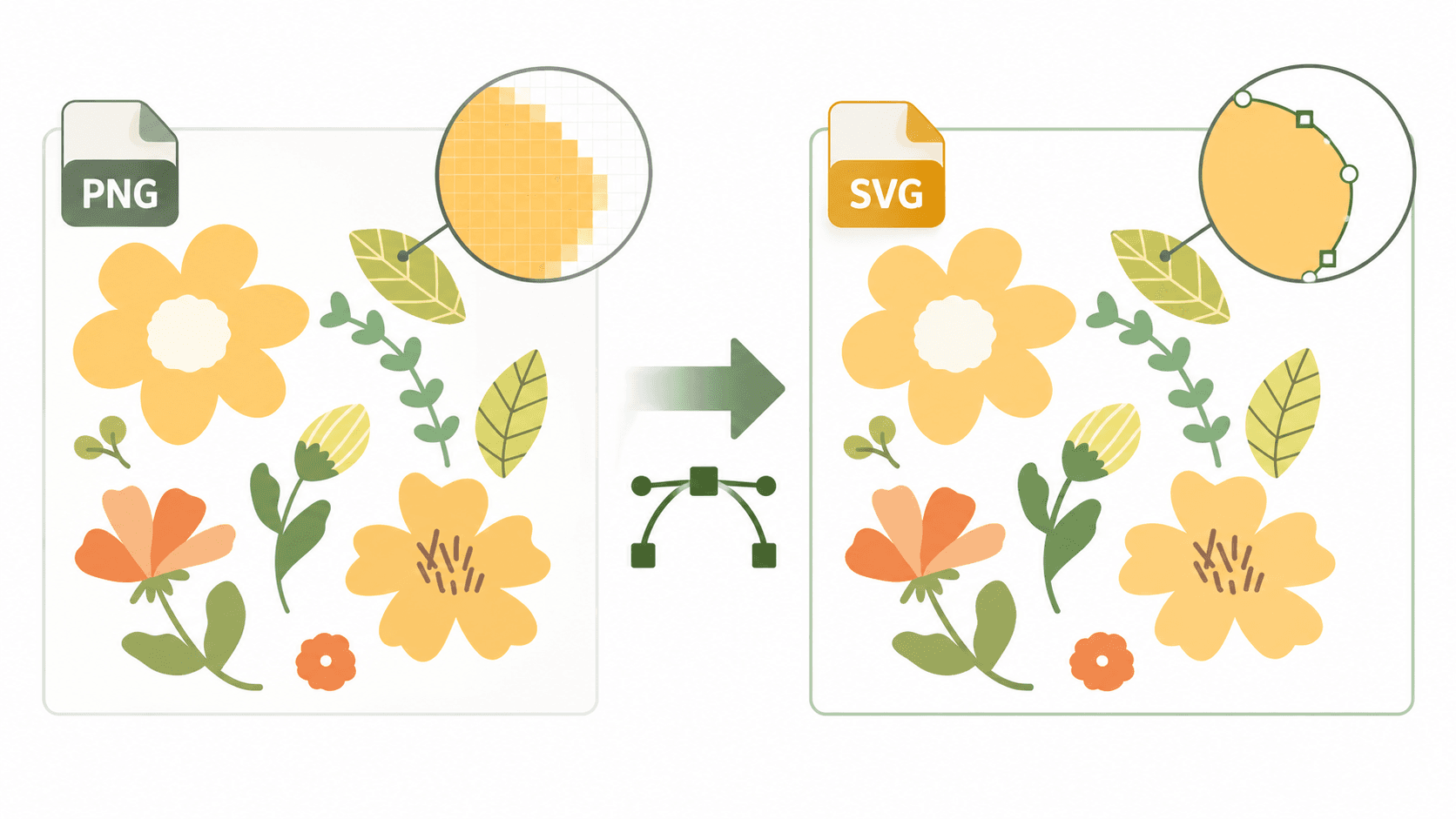
Upload a PNG and the AI-powered converter will trace its shapes and create an SVG that is easier to resize, edit, and reuse across websites, print, and product design.
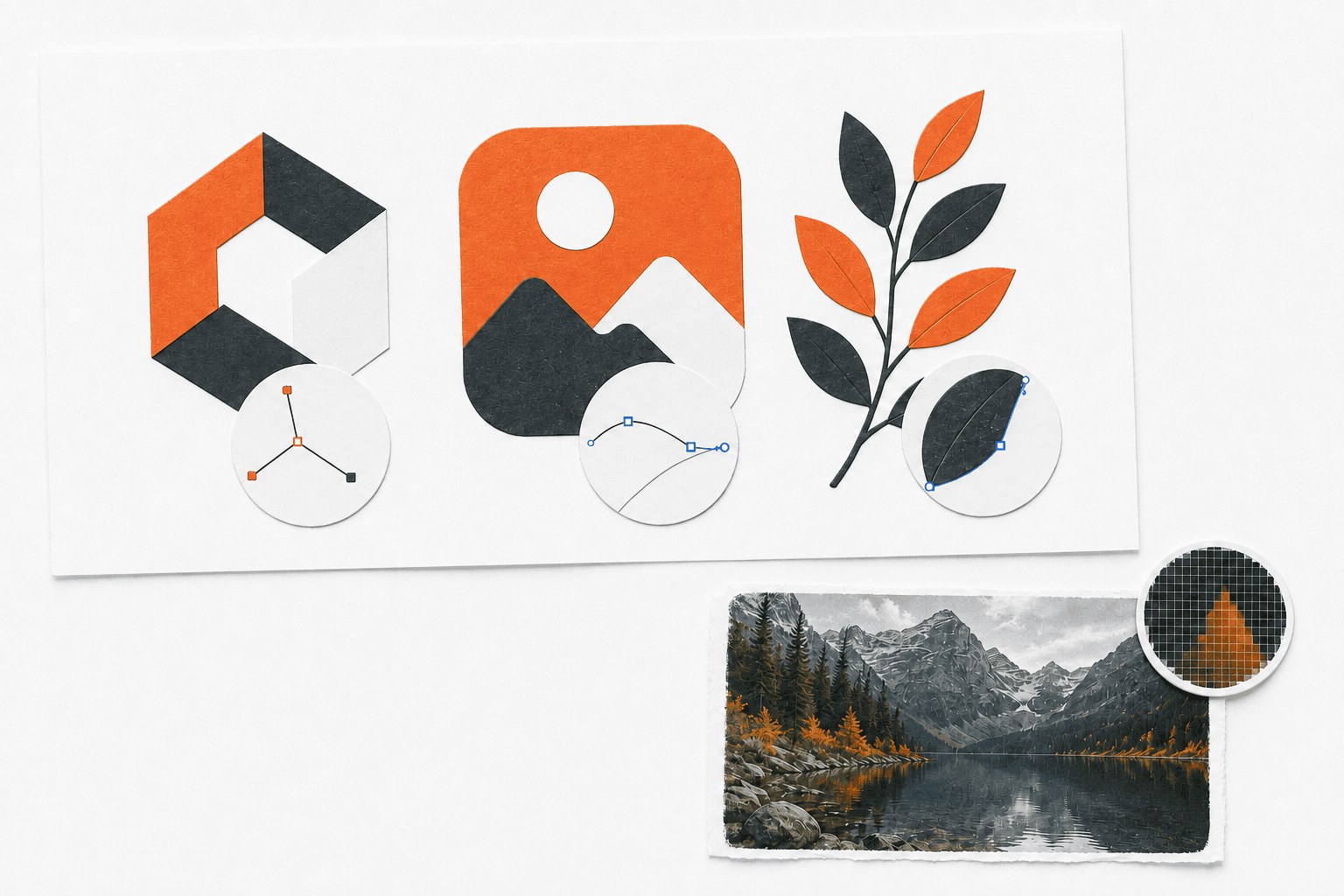
Logos, icons, flat illustrations, and graphics with clear shapes and defined edges usually produce the best results. Photographs and highly detailed artwork may create more complex vector paths and may require additional editing.
How it works
Convert a PNG into a scalable SVG in four simple steps, from uploading the source image to reviewing and downloading the finished vector.
Upload the PNG image you want to vectorize.
The AI model analyzes the image and converts its visible shapes into vector paths.
Check that the edges are clean, the colors are accurate, and the paths look right.
Save the generated SVG and use it anywhere you need a scalable vector graphic.
Frequently asked questions
PNG is a raster image format made of pixels. It is commonly used for transparent images, screenshots, and artwork that does not need to scale to different sizes.
SVG is a vector format built from paths and shapes. It stays sharp at any size and can be edited in vector design tools.
No. Noisy images, photographs, and artwork with complex shadows are harder to convert into clean vectors. Simple graphics usually produce the best results.
Each account receives three free conversions so you can try the complete PNG to SVG workflow before purchasing more credits.
Yes. SVG supports transparent areas, although the final result depends on the source image and conversion settings.
Logos, icons, flat illustrations, and simple drawings usually work best because they have clear outlines and fewer details.
Yes. You can open the SVG in many vector editing tools and adjust its colors, shapes, and paths.
SVG is a better choice when you need graphics that scale cleanly, remain editable, and work well in responsive designs or print.
Your image is ready when you are